

STEAM Checklist for Parents: Home Learning Guide
A STEAM checklist for parents is a curated, actionable list of activities and guidelines designed to support children’s learning in science, technology, engineering, art, and math at home. The term STEAM (Science, Technology, Engineering, Art, and Math) builds on the older STEM framework by adding art, which strengthens creativity and communication alongside analytical thinking. Parents of children aged 5–13 are in a prime position to shape how their child thinks, creates, and solves problems. This guide gives you a practical, step-by-step checklist to make that happen without needing a teaching degree or a fully stocked lab. Hands-on kits and screen-free tools from brands like Teamgeniussquad show that meaningful STEAM learning happens at the kitchen table, not just in a classroom.
1. What makes a strong STEAM checklist for parents?
A strong educational checklist for parents covers all five STEAM domains and ties each one to a real activity your child can do at home. Without that structure, it is easy to default to science experiments alone and skip engineering, art, or math entirely. Balance is the point.
The core components of an effective checklist include:
- Science: Simple experiments like baking soda and vinegar reactions, plant growth observations, or electricity labs
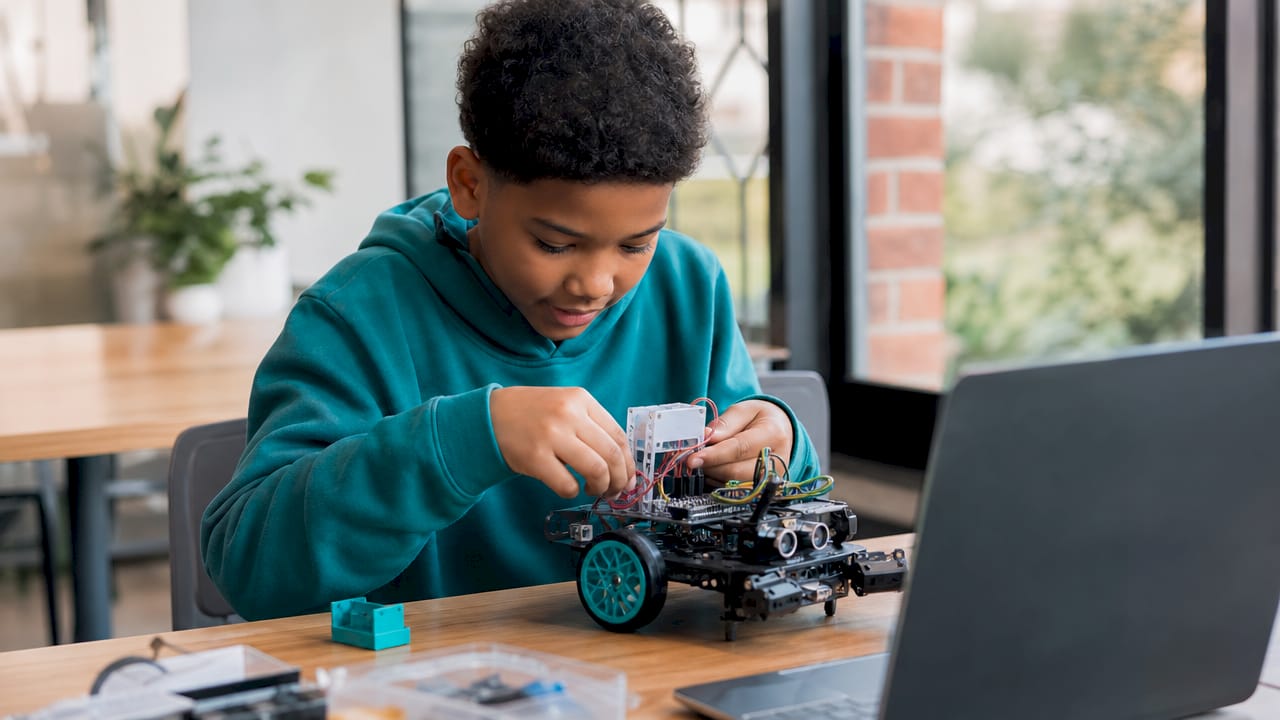
- Technology: Age-appropriate coding games, robotics kits, or digital design tools for older children
- Engineering: Building challenges using cardboard, tape, and household materials
- Art: Sketching inventions, creating visual journals, or painting inspired by scientific concepts
- Math: Measuring ingredients, tracking data from experiments, or playing logic puzzles
Tailoring activities to your child’s age matters as much as covering each domain. A 6-year-old thrives with sensory, tactile play. A 12-year-old needs more complexity and real-world context to stay engaged. Understanding STEAM vs. STEM helps parents set the right learning goals from the start.
Pro Tip: Write your checklist on paper and post it somewhere visible. Children who can see their learning plan feel more ownership over it.
2. Which STEAM activities best build creativity and problem-solving?
The best STEAM activities for kids combine a clear challenge, hands-on materials, and an open-ended outcome. Activities with one right answer train compliance. Activities with multiple solutions train thinking.
Here are eight activities that deliver strong results across the 5–13 age range:
- Electricity lab experiments: Kits like the STEM-STEAM Electricity Lab Bundle let children build circuits, test conductors, and observe cause and effect. These multi-sensory kits suit a range of learning styles and combine science, technology, and engineering in one session.
- Solar energy exploration: A solar energy kit with mirror disks teaches children how sunlight converts to power. This activity works especially well for ages 9–13 who are ready to connect science to real-world energy topics.
- Energy ball circuits: The Hand Energy Ball activates when two people complete a circuit by touching it together. It makes electricity visible and immediate, which is perfect for ages 5–8.
- Slime and chemistry labs: A slime experiment kit introduces polymer chemistry through creative, tactile play. Children mix, observe, and record what happens, which builds both science skills and patience.
- Invention sketching: Give your child a problem (“design a better backpack”) and ask them to draw a solution with labeled parts. This integrates art, engineering, and literacy in one activity.
- Math scavenger hunts: Hide numbered clues around the house that require simple calculations to decode. This works for ages 6–10 and makes math feel like play rather than homework.
- Glow-in-the-dark science: Light-reaction experiments like the glow-in-the-dark kit from Teamgeniussquad teach children about photoluminescence in a way that feels magical. The “wow” moment is what keeps curiosity alive.
- Shocking electric science: The Shocking Electric Science kit uses safe static electricity to spark questions about charge, conductors, and energy transfer.
Pro Tip: Screen-free kits build deeper focus. Screen-free STEAM strategies consistently show stronger creative engagement than tablet-based alternatives.
3. How to balance STEAM learning with everyday family life
Consistency beats intensity every time. A 20-minute STEAM activity three times a week produces better results than a two-hour session once a month. The goal is to make STEAM a natural part of your family’s rhythm, not a special event.
These scheduling strategies work well for busy parents:
- Anchor STEAM to existing routines. Pair experiments with Saturday mornings or after-school snack time so the habit builds itself.
- Use a simple weekly tracker. A printed checklist with checkboxes gives children a sense of progress and gives parents a quick view of which domains need attention.
- Keep a learning journal. Ask your child to draw or write one thing they noticed after each activity. This builds reflection skills and creates a record of growth.
- Rotate domains by day. Monday for science, Wednesday for art, Friday for math games. Rotation prevents boredom and covers all five areas naturally.
- Adjust difficulty based on mood. Some days call for a complex experiment. Other days, a quick puzzle is enough. Flexibility keeps the experience positive.
Parental controls should never be set-and-forget, and the same principle applies to STEAM learning plans. Regular check-ins with your child about what they enjoy and what feels too easy or too hard keep the checklist relevant. Treating your STEAM plan as a living document rather than a fixed schedule makes it far more sustainable.
4. How to use digital tools safely within your STEAM plan
Digital tools have a real place in a STEAM plan, but they require active parental management. Parental controls work best alongside ongoing conversations and regular check-ins rather than as a silent background setting. The technology component of STEAM does not have to mean unsupervised screen time.
When introducing digital STEAM tools, a practical approach is to choose age-appropriate programs first and restrict access to everything else by default. Approved digital activities typically avoid aggressive in-game purchases and do not require open online interaction, which makes them safer for younger children. For parents managing a gaming platform like Steam alongside STEAM education, note that many “steam checklist” searches actually refer to platform safety rather than STEAM education. The two are entirely different topics.
Educational games can support STEAM learning when chosen carefully. The key is pairing any digital activity with a hands-on counterpart so children build physical understanding alongside digital exposure.
5. How to update your checklist as your child grows
A checklist that worked for a 7-year-old will feel flat to a 10-year-old. Recognizing when to refresh your approach is one of the most underrated parenting STEAM skills.
Watch for these signs that your checklist needs an update:
- Your child finishes activities too quickly without much thought
- They stop asking questions during or after experiments
- They request harder challenges or ask “why does this work?”
- They repeat the same activity without variation or curiosity
| Child’s Stage | Checklist Focus | Example Activity |
|---|---|---|
| Ages 5–7 | Sensory exploration, basic cause and effect | Energy ball, slime lab, color mixing |
| Ages 8–10 | Structured experiments, simple data recording | Electricity circuits, plant growth tracking |
| Ages 11–13 | Multi-step projects, real-world connections | Solar energy kits, invention design challenges |
Periodic re-evaluation of STEAM activities improves learning outcomes and aligns with child development stages. Build a quarterly review into your routine. Sit down with your child, look at what you have done together, and ask them what they want to try next. Their answer will tell you more than any curriculum guide.
Resources like STEAM literacy integration tips from Teamgeniussquad help parents layer reading and writing into science activities, which adds depth without adding complexity. This approach also supports children who learn differently, including those with dyslexia or dysgraphia.
Key takeaways
A STEAM checklist for parents works best when it covers all five domains, adapts to the child’s developmental stage, and gets reviewed regularly alongside honest conversations about what is working.
| Point | Details |
|---|---|
| Cover all five domains | Include science, technology, engineering, art, and math in every weekly plan. |
| Match activities to age | Use sensory play for ages 5–7 and multi-step projects for ages 11–13. |
| Review and refresh regularly | Update the checklist quarterly based on your child’s responses and growth. |
| Pair digital with hands-on | Balance any screen-based STEAM tool with a physical, tactile activity. |
| Make reflection a habit | Ask your child one question after each activity to build thinking skills. |
What I have learned from watching children unlock their inner genius
The biggest mistake parents make with STEAM checklists is treating them like homework assignments. The checklist is a starting point, not a script. The moment a child veers off the plan because they want to test something new, that is not a failure. That is the whole point.
I have seen children who struggled in traditional classrooms light up the moment they were handed a circuit board and told there was no wrong answer. The freedom to experiment, fail, and try again is what builds real confidence. A checklist gives structure, but the magic happens in the space between the steps.
Parents also tend to underestimate their own role. You do not need to know how electricity works to sit beside your child and say, “I wonder what happens if we try this.” Curiosity is contagious. When children see their parents genuinely interested in the outcome of an experiment, their own engagement deepens.
One more thing worth saying plainly: mistakes are data. When a circuit does not light up or a slime batch goes wrong, that is not a bad session. That is a science session. Reframing failure as information is one of the most powerful things you can model for a child, and no checklist can teach it. Only you can.
— Tita
Ready-made STEAM kits that bring your checklist to life
Building a STEAM checklist from scratch takes time. Having the right materials ready makes the difference between a plan that stays on paper and one that actually happens.

Teamgeniussquad designs hands-on, screen-free experiment kits built specifically for children ages 5–13. Each kit is powered by the E³ Method (Engage, Encourage, Empower), which guides children from first curiosity to real confidence. The STEM-STEAM Electricity Lab Bundle is one of the most parent-friendly options available, covering science, engineering, and technology in a single box. Parents looking for a broader selection can browse the full experiment kits collection to find activities matched to their child’s age and interests. Every kit saves preparation time and delivers a complete learning experience right out of the box.
FAQ
What is a STEAM checklist for parents?
A STEAM checklist for parents is a structured list of activities and guidelines covering science, technology, engineering, art, and math that parents use to support home learning. It helps families stay consistent, cover all five domains, and track their child’s progress over time.
How is STEAM different from STEM?
STEAM adds art to the traditional STEM framework of science, technology, engineering, and math. The art component strengthens creativity, communication, and design thinking alongside analytical skills.
How often should parents update their STEAM checklist?
A quarterly review works well for most families. Periodic re-evaluation of activities aligns the checklist with your child’s current developmental stage and keeps engagement high.
Are screen-free STEAM activities better than digital ones?
Screen-free kits build deeper tactile understanding and creative focus. Digital tools have value when chosen carefully and paired with hands-on activities, but they work best as a complement rather than a replacement.
What STEAM activities work best for children ages 5–8?
Sensory and cause-and-effect activities work best for this age group. Electricity balls, slime labs, and simple circuit experiments give young children immediate, visible results that hold attention and spark questions.

Leave a comment
This site is protected by hCaptcha and the hCaptcha Privacy Policy and Terms of Service apply.