
Robotic Snake: Buy, Build, or Learn — Full Guide
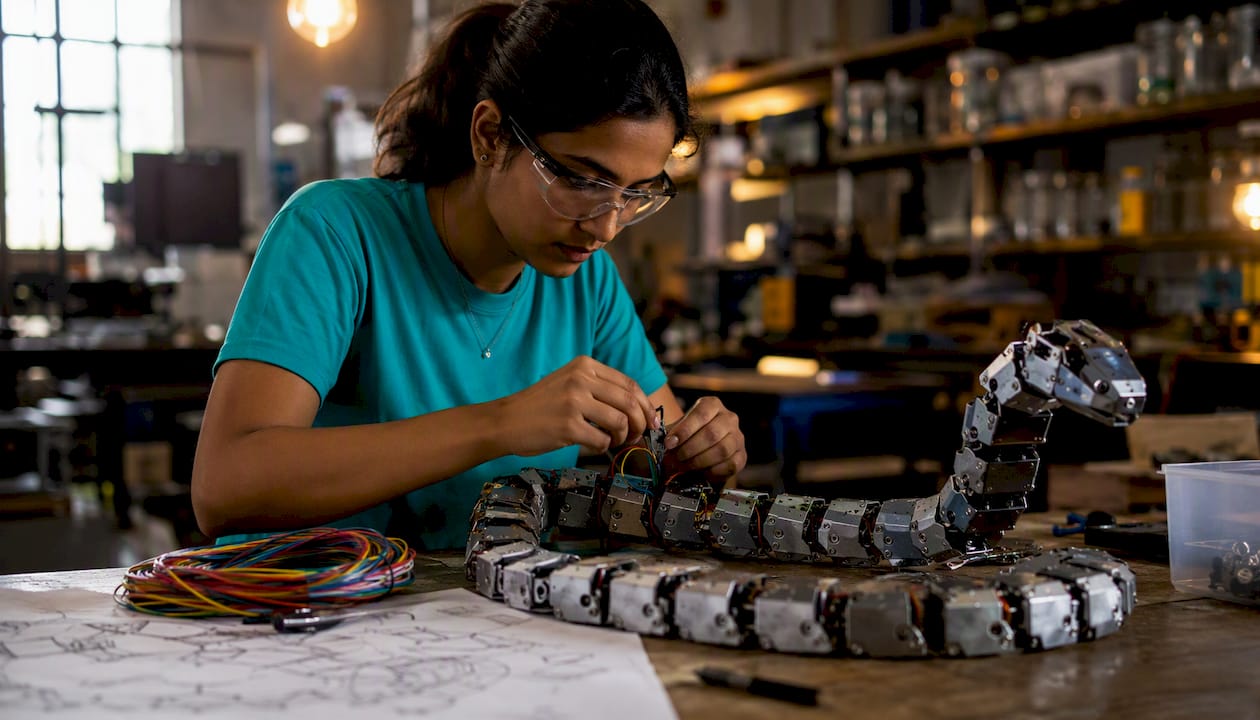
A robotic snake, or snakebot, is a limbless, multi-segment robot built to navigate confined, irregular, or hazardous spaces that wheeled or legged robots simply cannot reach. If you want one today, here is the short answer: buy a toy for kids and casual play, buy a kit for classrooms and learners, and build or source a research platform if you are a maker or scientist.
Quick shortlist:
- Kids and casual play: Robo Alive or Terra by Battat, both available at major retailers at an affordable price
- Classrooms and learners: KiwiCo Remote Controlled Snake Robot kit, a guided build with lesson support
- Makers and researchers: The Instructables Bioinspired Robotic Snake project for free STL files and build steps, or the Carnegie Mellon University Biorobotics Lab snakebot resources for research-grade design references
Real-world snakebots range from $10 novelty toys to NASA JPL’s EELS project, a research platform designed to explore the icy vents of Saturn’s moon Enceladus. The UC San Diego Bioinspired Robotics and Design Lab and CMU’s Biorobotics Lab represent the academic frontier. Wherever you land on that spectrum, this guide gives you a clear path forward.
Table of Contents
- What robotic snake options are available right now?
- How do you build a basic robotic snake from scratch?
- How do snake robots actually move and how is motion controlled?
- How do you choose the right robotic snake for your needs?
- Where can you find the best learning projects, kits, and labs?
- What does recent research actually tell builders and buyers?
- Key Takeaways
- The case for kits over toys, and building over buying
- Teamgeniussquad STEAM kits: a screen-free path for young learners
- Useful sources and where to go next
What robotic snake options are available right now?
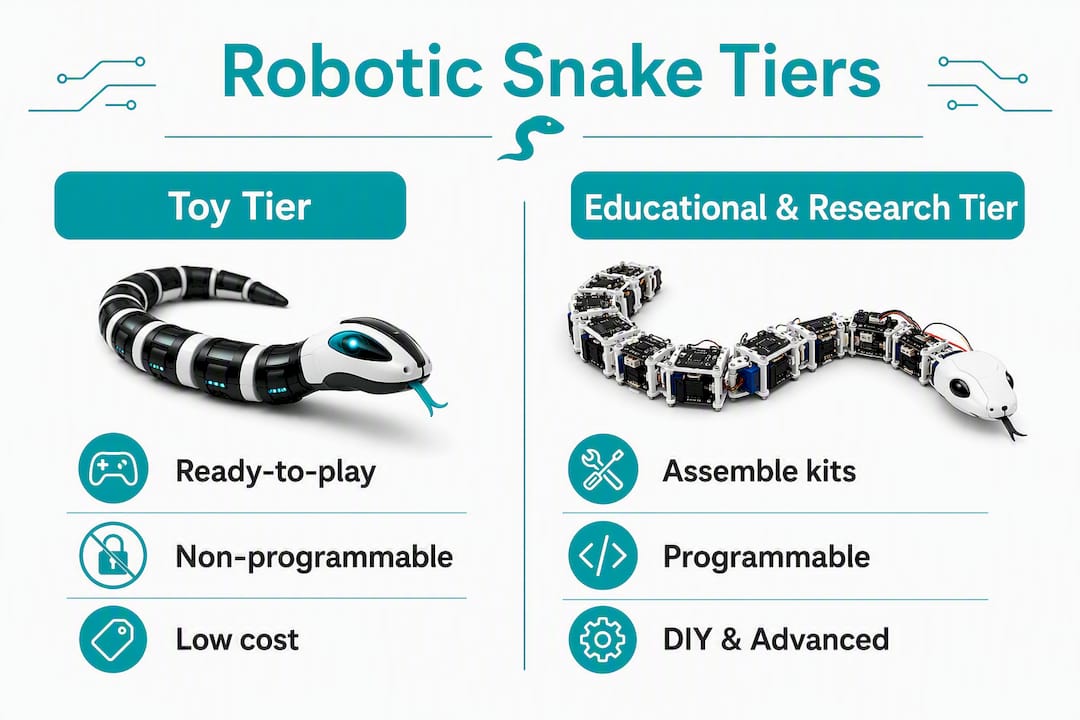
The market splits cleanly into three tiers: ready-to-play toys, educational kits, and research or DIY platforms. Each serves a different reader, and mixing them up leads to frustration, either a toy that bores a serious maker or a research platform that overwhelms a parent buying a birthday gift.
| Product | Best For | Typical Cost | Programmability | Degrees of Freedom | Battery Life | Availability |
|---|---|---|---|---|---|---|
| Robo Alive | Kids, casual collectors | ~$10–$20 | None | 1–2 (animatronic) | 2–4 hrs (AA batteries) | Retail toy |
| Terra by Battat | Budget buyers, party gifts | ~$15 | None (RC only) | 2–3 | 1–2 hrs | Retail toy |
| Generic RC snake toy (unbranded) | Cheap novelty | ~$8–$15 | None | 1–2 | 1–2 hrs | Retail / online |
| KiwiCo Remote Controlled Snake Robot | Classrooms, STEM learners | ~$30–$50 | App-controlled | 4–6 | 2–3 hrs | Kit vendor |
| Instructables Bioinspired Robotic Snake | Makers, hobbyists | $40–$50 (parts) | Programmable | 6–12+ | Varies | Community / DIY |
| Carnegie Mellon Biorobotics Lab snakebot | Researchers, advanced builders | Research / open docs | Open-source | 8–14 | Varies | Research platform |
| UC San Diego Bioinspired Robotics and Design Lab | Researchers, advanced students | Research / open docs | Open-source | Varies | Varies | Research platform |
Toy tier: Robo Alive, Terra by Battat, and generic RC snakes
Robo Alive leads the toy tier on realism. Its animatronic motion and sound effects genuinely startle people who are not expecting them, which is exactly the point for kids ages 4 and up. No assembly, no coding, no setup beyond batteries. Terra by Battat adds a remote control, giving children a little more agency over direction and speed, though the RC range is short and the motion is simpler than Robo Alive’s. Generic unbranded RC snake toys sold through Amazon and similar retailers sit at the lowest price point, often under $15, and deliver exactly what you would expect: a fun novelty that works for a few weeks of casual play.
None of these toys are programmable, and none are designed to be taken apart and rebuilt. If the child in your life is curious about how the thing moves, a toy will answer that question for about 30 seconds before the curiosity outpaces the product.
Kit tier: KiwiCo Remote Controlled Snake Robot
The KiwiCo-style kit occupies a genuinely useful middle ground. Children and students assemble the snake themselves, which means they encounter the mechanical logic of segmented motion firsthand. The guided lesson structure makes it classroom-ready, and the app-controlled interface lets learners experiment with movement without writing code from scratch. At roughly $30–$50, it costs more than a toy but delivers a learning experience the toy cannot.
Research and DIY tier: CMU, UCSD, and Instructables
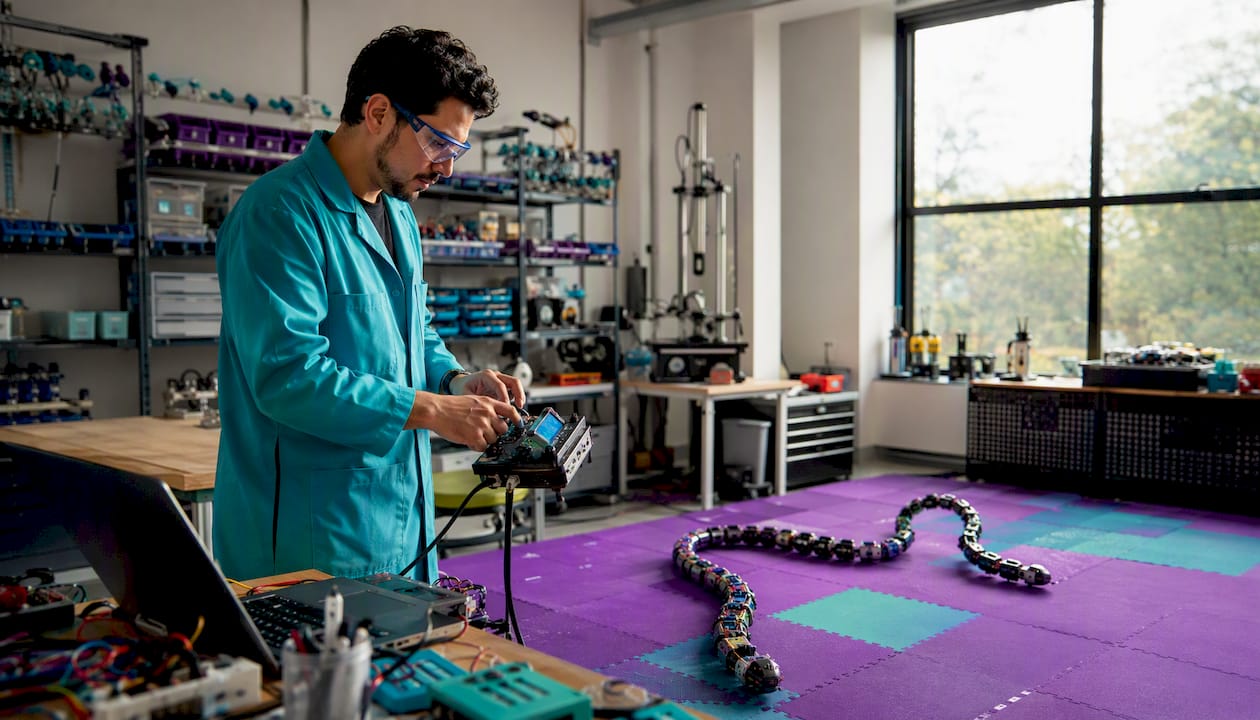
For makers and researchers, the Carnegie Mellon University Biorobotics Lab snakebot resources offer well-documented design references covering joint strategies, actuator selection, and mechanical trade-offs. The UC San Diego Bioinspired Robotics and Design Lab extends that with cross-disciplinary bioinspired design insights spanning multiple morphologies, not just snakes. The Instructables Bioinspired Robotic Snake project gives hobbyists free STL files, a bill of materials, and community-tested build steps. These are not products you buy off a shelf; they are starting points for a build that will teach you more about robotics than any toy ever could.
How do you build a basic robotic snake from scratch?
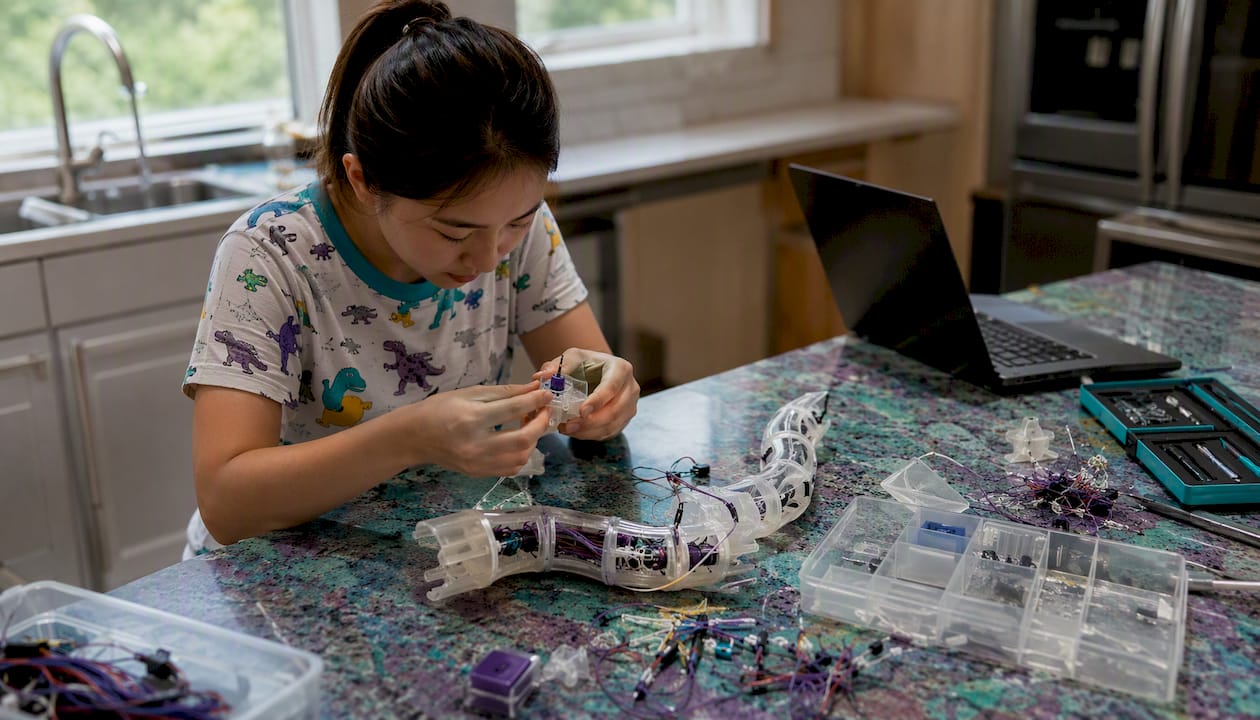
Building a snakebot is genuinely achievable for a motivated hobbyist with access to a 3D printer and basic electronics skills. Bio-inspired design is the dominant approach for both educational and research builds, and most beginners start with rigid-link servo designs before advancing to soft-actuated systems.
Choosing your design approach
Segmented rigid-link (servo-driven) designs are the right starting point for almost everyone. Each segment connects to the next through a servo joint, and the chain of segments produces snake-like motion through coordinated angle changes. A 1D design (joints rotating in one plane) is simpler to build and program. A 2D design (joints alternating horizontal and vertical rotation) produces more lifelike motion and handles varied terrain better.
Soft-actuated designs use pneumatic chambers, shape-memory alloys, or flexible materials to produce motion without rigid joints. They are quieter, more compliant, and better suited to delicate environments like pipeline inspection or medical applications. They are also significantly harder to build and control, and not a realistic starting point for a first project.
Bill of materials for a simple educational build
| Component | Typical Spec | Estimated Cost |
|---|---|---|
| Micro servos (6–10 units) | SG90 or MG90S | $2–$4 each |
| Microcontroller | Arduino Nano or Raspberry Pi Pico | $5–$15 |
| LiPo battery pack | — | $10–$20 |
| 3D-printed segments | PLA or PETG, custom STL files | $5–$15 (filament) |
| Servo driver board | servo driver board | $5–$10 |
| Wiring and connectors | Dupont cables, JST connectors | $5–$10 |
| Fasteners and hardware | M2/M3 screws and nuts | $3–$8 |
| Total (educational build) | ~$30–$50 |
An advanced maker build adding an IMU (inertial measurement unit), encoders, contact sensors, and a more capable microcontroller like a Raspberry Pi 4 can push the parts cost to $200–$400, not counting the 3D printer time.
Build timeline: a realistic step sequence
- Design and print segments — Download STL files from the Instructables Bioinspired Robotic Snake project or design your own in Fusion 360. Print 6–10 segments in PLA. Allow 4–8 hours of print time per batch.
Expect 10–20 hours of build and debug time for a first educational build, and 40–80 hours for a more capable maker version with sensors and closed-loop control.
Pro Tip: Choose MG90S metal-gear servos over plastic-gear SG90s for any build that will run more than a few hours. The plastic gears strip quickly under the lateral loads that snake locomotion generates, and replacing them mid-project costs more time than the initial savings justify. Route servo cables along the inside of the body channel and secure them with small zip ties every two segments to prevent snagging during motion.
Open-source simulation tools like SoftZoo let you test morphologies and gaits virtually before committing to hardware, which saves both filament and frustration on more complex designs.
How do snake robots actually move and how is motion controlled?
Snake robots use four primary gaits, each suited to a different terrain. Understanding which gait does what helps both buyers evaluate products and builders plan their control code.
The four core gaits:
- Serpentine (lateral undulation): The most common gait, producing S-curve motion across open ground. Each body segment follows the path of the one ahead of it, which is why it works on most flat surfaces.
- Sidewinding: The robot lifts portions of its body off the ground and moves laterally. This gait handles loose sand and granular terrain where serpentine motion would cause the body to sink and lose traction.
- Concertina: The robot anchors part of its body and extends the rest forward, then pulls the rear up. Slow but effective in narrow passages like pipes or crevices.
- Rectilinear: The body moves in a straight line by pushing backward against the ground using scales or textured skin. Useful for tight tunnels where lateral motion is impossible.
How control is implemented
The simplest control approach sends a sinusoidal position command to each joint, with each joint’s phase offset from its neighbor by a fixed angle. Changing the amplitude changes how wide the curves are; changing the frequency changes speed. This approach is easy to implement on an Arduino and produces recognizable serpentine motion within an hour of programming.
More sophisticated systems use central pattern generators (CPGs), which are neural-inspired control networks that generate rhythmic joint outputs without requiring a central clock to coordinate every joint individually. CPGs allow smoother gait transitions and are used in both simulation and physical research prototypes.
Energy efficiency is the central design challenge for multi-joint snake robots. The more actuators and degrees of freedom a robot carries, the higher its power consumption. Researchers are actively developing self-locking joint mechanisms and efficient gait strategies to extend runtime, but the trade-off between capability and battery life remains the defining constraint for practical deployment.
JPL’s EELS robot illustrates the extreme end of this trade-off: it carries dozens of actuators and perception sensors including stereo cameras and lidar, all of which demand substantial onboard power. For a hobbyist build, the practical lesson is to start with fewer joints (6–8) and add more only when the basic gait is stable and the power budget is understood.
For builders adding sensors, an IMU mounted near the robot’s center of mass provides orientation data that helps the controller detect when the robot is climbing, descending, or losing traction. Encoder feedback on each servo joint allows closed-loop position control, which produces more consistent gaits on uneven terrain than open-loop sinusoidal commands alone.
How do you choose the right robotic snake for your needs?
The single most common mistake is buying a product from the wrong tier. A toy bought for a classroom STEM lesson will disappoint within 20 minutes. A research platform handed to a 7-year-old will sit in a box. Matching the product to the actual use case is the whole game.
Buyer checklist:
- Intended use: Is this for play, learning, building, or research? Each maps to a different product tier.
- User age and skill level: Toys suit ages 4–10; kits suit ages 8–14 and classroom settings; DIY builds suit teens and adults with basic electronics experience; research platforms suit university-level builders.
- Programmability: If the user will want to change how the robot moves, verify that the product supports it. “App-controlled” and “programmable” are not the same thing. App control means adjusting preset parameters; programmability means writing or modifying code.
- Open-source access: For makers and researchers, confirm that STL files, schematics, and code are publicly available before committing to a platform.
- Degrees of freedom: More joints produce more lifelike motion but increase complexity and power draw. Six joints is a reasonable starting point for a first build; 12 or more is an advanced project.
- Battery life: Toy listings often overstate battery life. Look for reviews that mention actual runtime, not the spec sheet number.
- Warranty and spare parts: For kits, check whether replacement servos or segments are available. A kit with no spare-parts path becomes a paperweight when the first servo fails.
- Materials and durability: PLA 3D-printed parts are fine for indoor use but degrade in heat and moisture. PETG or ABS holds up better in varied environments.
Red flags to watch for: a product listing with no demo video, a programmability claim with no mention of an IDE or API, battery-life specs that seem implausible for the motor count, and no return policy or customer support contact.
Pro Tip: Before buying any kit claiming to be “programmable,” ask the seller or check the product page for a screenshot of the IDE or a sample code snippet. A product that is genuinely programmable will have this documentation readily available. If the seller cannot produce it, the programmability claim is likely marketing language for a fixed-behavior app.
Where can you find the best learning projects, kits, and labs?
The resources below are organized by skill level, so you can jump directly to what fits your situation.
For kids and beginners (ages 5–12): Robo Alive and Terra by Battat are available at Target, Walmart, and Amazon. They require no assembly and work immediately out of the box. These are observation tools, not building tools, but they spark the right questions.
For classrooms and guided learners (ages 8–14): The KiwiCo Remote Controlled Snake Robot kit includes step-by-step assembly instructions and lesson-aligned content. It is one of the cleaner classroom options because the guided format reduces the teacher preparation burden. Teamgeniussquad’s hands-on STEAM kits offer a complementary screen-free pathway for younger learners who are not yet ready for servo-based builds but are ready to think like scientists and engineers.
For makers and hobbyists (ages 14 and up): The Instructables Bioinspired Robotic Snake project is the most accessible free starting point. It typically includes STL files for 3D printing, a bill of materials, wiring diagrams, and sample code. Quality varies by author, so read the comments section before committing to a specific project version. GitHub hosts several open-source snakebot repositories as well; searching “snake robot Arduino” or “snakebot servo” surfaces active projects with community support.
For researchers and advanced builders: The Carnegie Mellon University Biorobotics Lab publishes design notes covering joint architectures, actuator selection, and mechanical trade-offs from decades of snakebot research. The UC San Diego Bioinspired Robotics and Design Lab approaches the problem from a cross-disciplinary angle, drawing on fish, caterpillars, and other morphologies alongside snakes to inform design decisions. Both lab pages include links to published papers and demo videos worth reviewing before starting a serious build.
For virtual prototyping before committing to hardware, SoftZoo lets designers test soft-robot morphologies and gaits across different terrain types, comparing snake, caterpillar, and fish body plans under the same conditions.
What does recent research actually tell builders and buyers?
The most useful insight from academic bioinspired robotics is also the most counterintuitive: biological snakes are not the design goal. They are the starting point. The UC San Diego Bioinspired Robotics and Design Lab emphasizes looking beyond a single animal morphology to find mechanical primitives that work reliably in engineered systems. A real snake uses scales, muscle compliance, and neural feedback in ways that are extraordinarily difficult to replicate mechanically. The practical move is to extract the principle (distributed propulsion, redundant segments, passive compliance) and implement it with the tools you actually have.
The CMU Biorobotics Lab’s design guidance makes a specific structural recommendation that hobbyists often overlook: stacking 2-DOF joints (two degrees of freedom per joint stage) reduces the overall length and cross-section of the robot while preserving redundancy. If one joint fails, the remaining joints can often compensate enough to maintain basic locomotion. This is a meaningful durability advantage for field-deployed robots and a useful design principle even for classroom builds.
JPL’s development of the EELS robot illustrates how professional teams handle the complexity of multi-segment autonomous robots. Their approach follows an iterative, startup-like cycle: build quickly, test in the field, analyze failures, and refine both hardware and software before the next test. The EELS project page describes a robot designed to eventually descend the narrow vents of Saturn’s moon Enceladus autonomously, which sets the ambition level clearly. For hobbyists, the practical takeaway is simpler: schedule field tests early and often, even when the build feels unfinished. Failures on a flat parking lot are far cheaper than failures discovered after months of additional work.
Energy efficiency remains the field’s defining open challenge. A state-of-the-art review on snake robot design and control identifies energy consumption, environmental perception, and real-time adaptability as the three areas where current designs fall shortest of practical deployment needs. For buyers, this means battery life claims deserve healthy skepticism. For builders, it means starting with fewer, more capable actuators rather than maximizing joint count, and considering passive-locking mechanisms that hold a joint position without continuous motor power.
Key Takeaways
Robotic snakes span three distinct tiers: ready-to-play toys for young children, programmable kits for classrooms, and open-source research platforms for makers and scientists, and matching the right tier to your actual use case determines whether the experience succeeds.
| Point | Details |
|---|---|
| Match tier to use case | Toys suit ages 4–10; kits suit classrooms and ages 8–14; DIY builds suit teens and adults with electronics experience. |
| Build cost and time | A basic educational servo build costs a moderate amount in parts and takes several hours to assemble and debug. |
| Energy trade-off | More joints and actuators increase power draw; start with a small number of joints and add more only after the basic gait is stable. |
| Verify programmability | Ask for a sample code screenshot or IDE reference before buying any kit marketed as “programmable.” |
| Teamgeniussquad kits | For children ages 5–13 not yet ready for servo builds, Teamgeniussquad’s screen-free STEAM kits offer a hands-on, confidence-building entry point into engineering thinking. |
The case for kits over toys, and building over buying
The buy-vs-build question is really a question about what kind of learning you want to happen. A toy delivers delight for a few days and then sits on a shelf. A kit delivers delight and the memory of having built the thing yourself, which is a meaningfully different experience for a child or a student. A DIY build from scratch delivers something even harder to replicate: the specific, earned confidence that comes from solving a problem nobody handed you the answer to.
The research labs make this point implicitly. JPL’s EELS team does not buy a robot and deploy it. They build, test, fail, and rebuild, and that cycle is inseparable from the capability they are developing. The UC San Diego Bioinspired Robotics and Design Lab draws inspiration from multiple morphologies precisely because the act of comparing and questioning biological designs produces better engineering than copying a single one.
For parents and educators, the practical implication is worth sitting with: the KiwiCo-style kit that takes a child two hours to assemble will teach more about how robots move than a Robo Alive toy watched for two years. And a hobbyist who builds a six-segment servo snake from an Instructables guide, debugs the gait, and iterates on the joint design will understand snake-robot locomotion at a level that reading about it never produces.
The toy has its place. It is a spark. But the kit, and especially the build, is where the real learning lives.
Teamgeniussquad STEAM kits: a screen-free path for young learners
For parents and educators whose children are ages 5–13 and not yet ready for servo wiring and microcontrollers, Teamgeniussquad offers something the robotic snake market largely skips: a hands-on, screen-free STEAM experience designed to build confidence alongside curiosity. While the toy tier entertains and the kit tier teaches assembly, Teamgeniussquad’s kits go further by turning children into young scientists through the proprietary E³ Method (Engage, Encourage, Empower), combining real experiments with role-play, reading, and reflection.

Each kit is designed with neurodivergent learners in mind, inspired by a real family journey with dyslexia and dysgraphia, and structured so that children who struggle in traditional learning environments can experience genuine success. Educators will find ready-made lesson plans aligned to STEAM concepts, and the Team Genius Squad STEM Puzzle is a strong classroom engagement tool for younger groups. Visit the Teamgeniussquad shop to explore kits, bundles, and educator resources that make STEAM discovery something every child can own.
Useful sources and where to go next
- JPL EELS project page: The primary source for EELS robot specs, design goals, and demo videos. Watch the field-test footage to understand what autonomous snake navigation looks like at the research frontier.
- UC San Diego Bioinspired Robotics and Design Lab: — Browse lab projects and published papers on bioinspired design across multiple morphologies. Useful for understanding the broader design space beyond snakes.
- SoftZoo simulation platform coverage: Overview of the open-source simulator for testing soft-robot morphologies and gaits before building hardware. Start here if you want to prototype virtually first.
- Snake robot design and control review: A state-of-the-art academic review covering actuation, sensing, control strategies, and open challenges. The best single paper for understanding where the field stands and what problems remain unsolved.
- Bio-inspired approaches in robotics: MDPI open-access article covering how bio-inspired design principles apply to educational and research robot builds. Useful background for the how-to-build section.
- CPG-based locomotion control: Book chapter on central pattern generator approaches to snake-like motion. Read this when you are ready to move beyond simple sinusoidal joint commands.
- Snakebot overview: Wikipedia’s snakebot article is a reliable starting point for definitions, use cases, and links to further reading. Good for orienting newcomers to the field.



Leave a comment
This site is protected by hCaptcha and the hCaptcha Privacy Policy and Terms of Service apply.